Converse. Validate.
Execute.
Save hours on research. Enter every trade with a plan. Protect every position with a stop. Review every outcome with a complete audit trail.
Research Done. Plan Built. In Under a Minute.
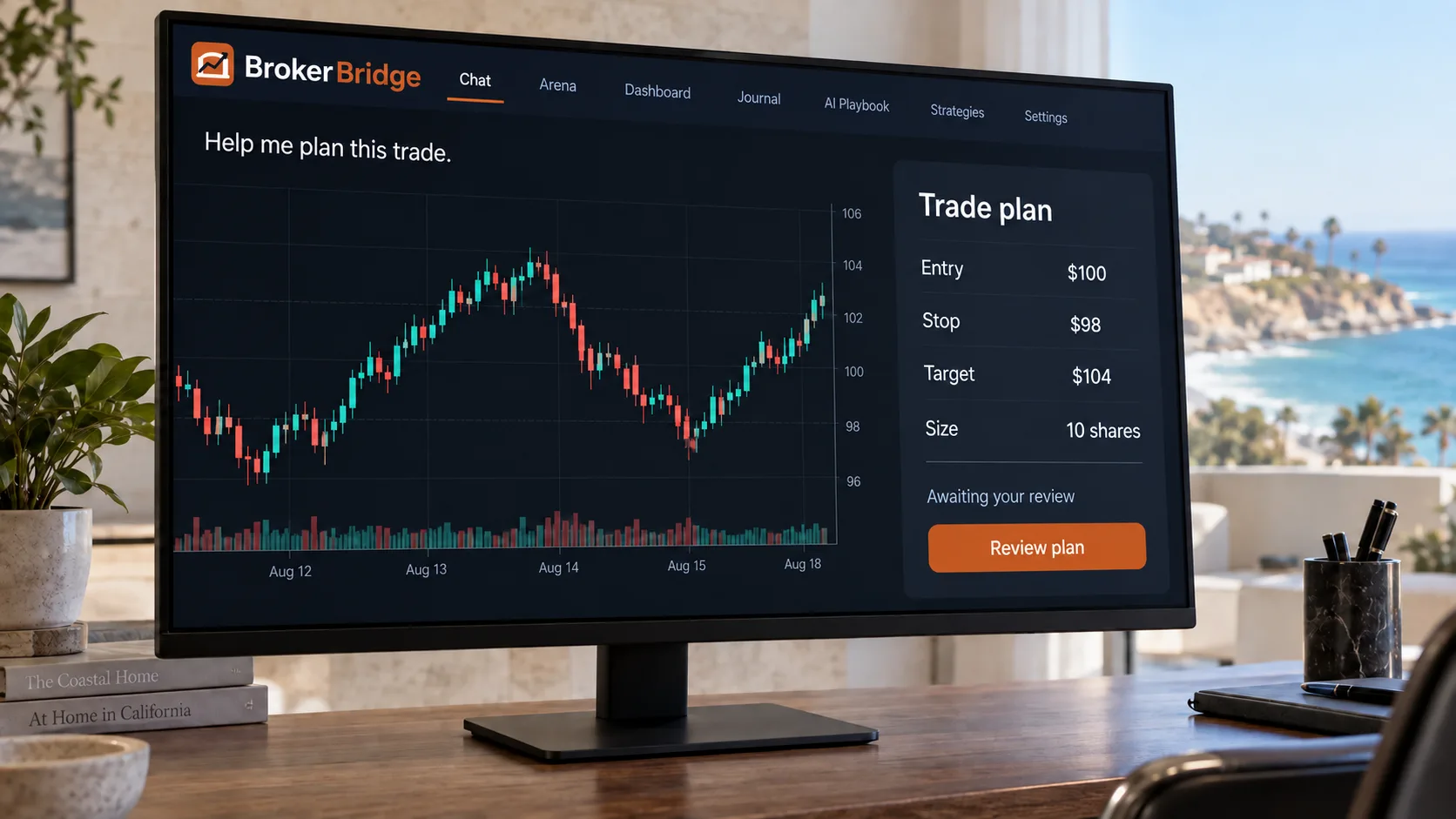
Stop spending 30 minutes per trade scanning news, checking charts, and calculating sizes. Tell your AI what you're thinking — it pulls live IBKR data, searches news, and builds a complete entry/stop/target proposal.
- "What's my current MES position?" — instant answers from your live IBKR account.
- "Build me a trade plan for AAPL" — Claude searches for news, analyzes the chart, and returns a structured proposal with entry, stop, and target.
- Your AI companion pulls IBKR market data, news headlines, and multi-timeframe price context into every response.
I pulled the latest AAPL data and scanned 3 news sources. Here is a structured proposal:
Earnings beat + above 20-day MA + sector rotation into tech. Approve below or modify the levels.
For illustrative purposes only. Not actual results.
Drop a Chart. Get a KPL Read in Seconds.
Screenshot any chart — from any platform — and drop it into the chat. BrokerBridge reads it through its proprietary Key Price Levels (KPL) framework and hands back the key levels, market structure, a directional bias, and a risk-defined entry, stop, and target. No lines to draw. No levels to plot by hand.
- Works from a screenshot off any platform — TradingView, your broker, even a photo of a screen. If it's a chart, it reads it.
- Returns the Key Price Levels, where price is trading relative to them, a clear long or short bias, and a structured entry / stop / target.
- The read drops straight into the same risk-gated proposal flow as everything else — a screenshot becomes an approvable trade in one step.
Read against your Key Price Levels — price is holding above the nearest level with room to the next:
For illustrative purposes only. Not actual results.
Bad Trades Get Blocked Before You See Them
Eight hard-coded risk checks run on every proposal. If it violates your stop-loss requirement, position limits, max loss per trade, daily loss cap, or sector concentration rules — it's rejected before it reaches your screen. No willpower required.
- Position size gate: no single trade exceeds your configured % of account value.
- Daily loss cap: all trading halts automatically if your daily loss limit is reached.
- Sector concentration and portfolio exposure limits prevent over-concentration.
For illustrative purposes only. Not actual results.
One Click. Entry, Stop, and Target — All Locked In.
Every approved trade fires as an atomic bracket order. Entry, stop-loss, and take-profit are placed together via OCA groups. You cannot enter a trade without a stop. Period.
- You physically cannot enter a trade without a stop-loss. Entry, stop, and target are placed together.
- Approve the plan with one click. Modify the size, stop, or target before approving if you want.
- Proposals expire after 5 minutes if you don't act. No stale orders cluttering your queue.
For illustrative purposes only. Not actual results.
Complete Audit Trail for Every Trade Decision
Every proposal, approval, rejection, and outcome is recorded. Your journal gives you a clear view of what you traded, why the AI suggested it, and what happened — so you can improve your process over time.
- Every trade close is linked back to its original proposal and AI decision via CSV audit trail.
- The journal tracks win rate, average R:R, and conviction level across all your trades.
- Adaptive learning and auto-calibration of scorer weights are coming in a future release.
For illustrative purposes only. Not actual results.
IBKR-Only Architecture
One API key gets you market data, news, options chains, and execution. No extra subscriptions.
Real-Time Event Stream
10 event types power the live dashboard: proposals, decisions, fills, closes, and more.
Complete Audit Trail
Daily CSVs for proposals, decisions, approvals, executions, and P&L. Compliance-ready.
Machine-Bound Security
Fernet encryption with machine-derived keys. Credentials from one laptop won't work on another.
Seven AI Providers, Your Choice
Use Claude for deep analysis. Switch to GPT for speed. Try Grok for contrarian takes. Same interface, different AI engines — swap anytime.